ServiceM8 connected
Keep your ServiceM8 subscription. After you sign in, you paste in your ServiceM8 API key and ToolTorq works with your existing jobs and clients.
ToolTorq, by Proanalytica
For trade and service businesses. Connect your ServiceM8 account, or run ToolTorq fully on its own.
One workspace, with or without ServiceM8.

ServiceM8 connected
Pricing to be announcedMonthly billing
Keep your own ServiceM8 subscription. ToolTorq works with the jobs and clients already in your account.
Less hunting through records.
More of the picture, in one place.
Start with the work that needs you: overdue tasks, open jobs and recent payments.
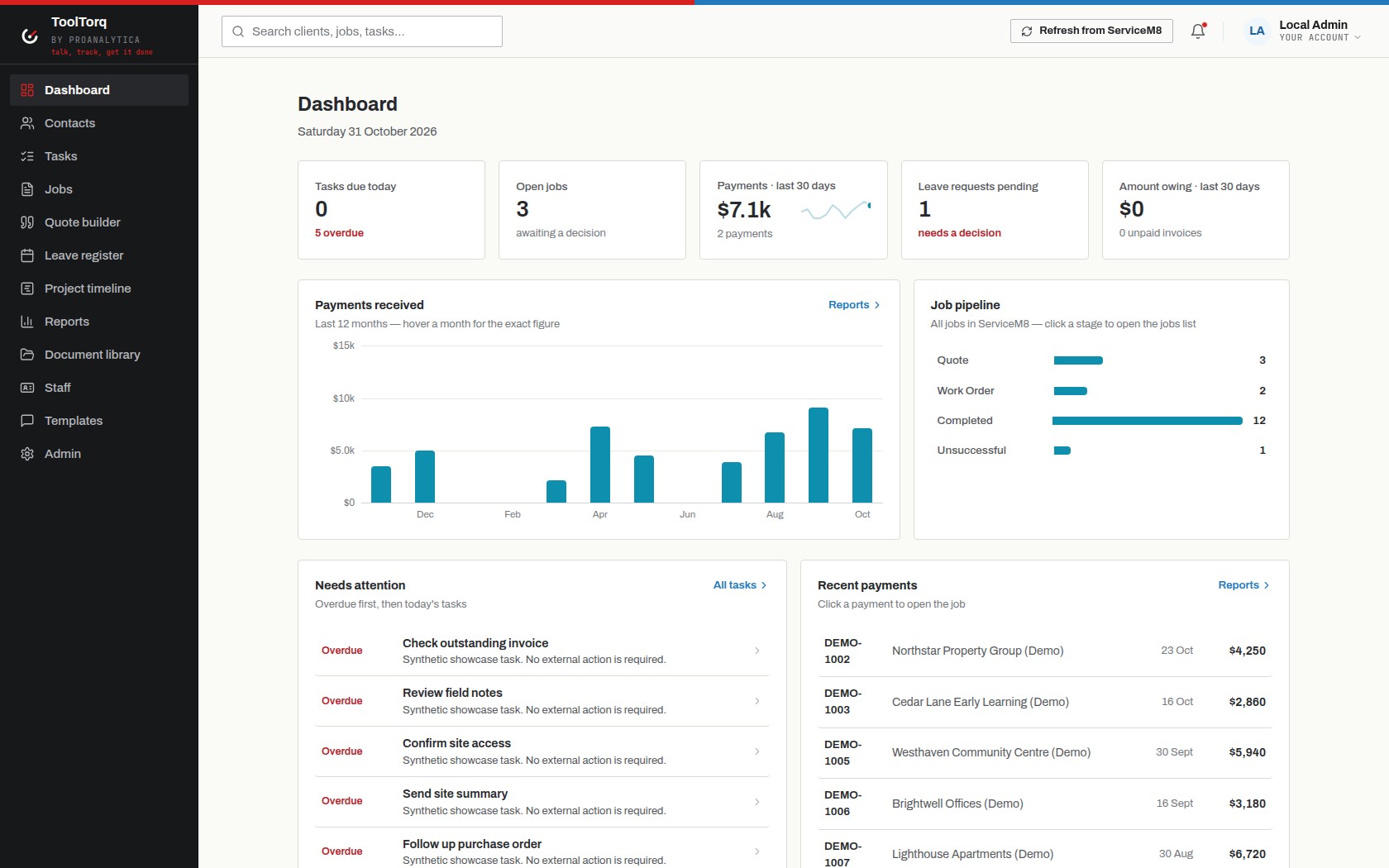
Keep your ServiceM8 subscription. After you sign in, you paste in your ServiceM8 API key and ToolTorq works with your existing jobs and clients.
ToolTorq runs on its own. No ServiceM8 account is needed, and ToolTorq never calls ServiceM8.
Moving from ServiceM8 connected to self-contained is a one-way change that Proanalytica runs for you.
Keep job details, tasks, notes and client history together, from the first quote to completed work.
Find the people behind each job, with contact details and a shared record of the work.
Build itemised quotes and download a PDF, ready to share with your client.
Plan bookings in the project timeline and keep track of staff availability and leave.
Admins can compare planned and recorded labour, review utilisation and spot jobs that need attention.
Use message templates and keep job communication history. Connect your own SendGrid or Twilio account for standalone sending.
Read jobs and clients through scoped API keys, so your other tools can work with the same records.
In development: connect an AI assistant with workspace access controls. Read access and admin-only write tools are being built.
ServiceM8 connected or Self-contained.
Pay by card on a secure hosted payment page.
We email an invitation to the first administrator.
If you chose ServiceM8 connected, paste your ServiceM8 API key in the workspace settings. The key is never entered on this website.
Each customer gets an isolated workspace.
Your ServiceM8 API key is encrypted at rest and cannot be read back from the browser.
ToolTorq is a Proanalytica product.
Both modes will be billed monthly. Pricing is still being finalised for wide market adoption, so the plans are not published yet.
connectedPricing to be announced
Keep your own ServiceM8 subscription. ToolTorq works with the jobs and clients already in your account.
standalonePricing to be announced
ToolTorq on its own. No ServiceM8 account needed.
Final prices, GST treatment, setup fees and trial options will be confirmed before paid sign-up opens.
Customisation is available on top of the ToolTorq package: extra reports and dashboards, document generation, quote wizards, integrations, industry-specific workflows and data migration. Custom work is scoped and quoted separately.
Want to discuss pricing or customisation before launch? Email support@tooltorq.app.
Paid sign-up opens after payment setup is complete. To register interest, contact support@tooltorq.app.